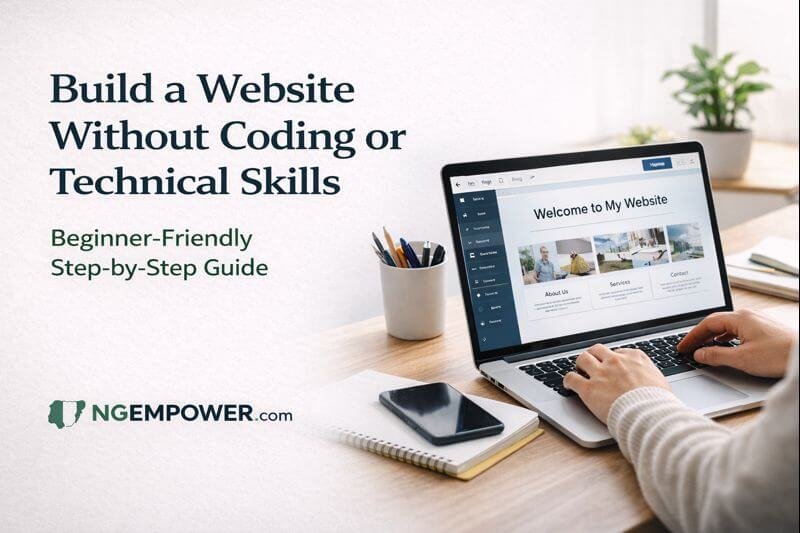
Many people believe that building a website is only for programmers, engineers, or “tech people.” If you’ve ever thought, “I’m not technical” or “coding is not for me,” you’re not alone. These fears are common, especially among beginners, students, small business owners, freelancers, and first-time bloggers.
The truth is simple: you no longer need coding or technical skills to build a real, working website.
Modern tools have removed the need to write code, understand programming languages, or deal with complicated technical setups. Today, building a website can feel closer to using social media or editing a document than learning software engineering.
This guide is written for absolute beginners. It assumes you have never built a website before and may even feel uncomfortable with technology. Everything is explained slowly, clearly, and honestly. By the end, you should feel confident enough to build and publish your first website without coding or technical skills.
Best Website Builder Based on Your Goal
There is no single “best” builder for everyone. The right choice depends on what you want the website to do and how comfortable you are with learning new tools.
Here’s a practical recommendation based on common beginner goals.
If Your Goal Is Blogging or Writing Content
Recommended: WordPress.com
Why this works well:
Built specifically for writing and publishing content
Handles text, categories, and blog posts better than most builders
You can start free and grow slowly
Widely used, so help is easy to find
Best for:
Bloggers
Writers
Educational or news-style websites
People who want long-term growth
If Your Goal is to set up a blog, you might also want to read our guide on SEO Skills Nigerians Can Learn
If Your Goal Is a Small Business Website
Recommended: Wix
Why this works well:
Very visual and easy to understand
Drag-and-drop editing feels natural
Good for service pages and contact forms
Less learning at the beginning
Best for:
Small business owners
Freelancers
Local services
People who want fast results
If Your Goal Is a Personal or Portfolio Website
Recommended: Squarespace or Wix
Why this works well:
Clean, professional designs
Easy to present work and personal information
Less setup stress
Best for:
Designers
Creatives
Personal brands
CV-style websites
What It Means to Build a Website Without Coding
When people talk about “coding,” they usually mean writing instructions in special languages that computers understand. In the past, websites were created entirely this way. Today, things work differently.
Building a website without coding means using no-code tools. These tools allow you to:
Choose designs instead of writing code
Type text directly onto pages
Drag items like images and buttons into place
Click to publish your site online
You don’t need to understand how the technology works behind the scenes. The platform handles that for you.
What beginners can do without coding:
Create pages (Home, About, Contact)
Add text, images, and videos
Change colors, fonts, and layouts
Publish a website that works on phones and computers
What beginners cannot easily do without coding:
Build very complex custom features
Control every technical detail
Create advanced web applications
For most beginners, these limits are not a problem. A simple, clear website is often more effective than a complicated one.
Types of Websites Beginners Can Build Without Technical Skills
You don’t need to aim for something complicated. Most beginners successfully build one of these types of websites:
Blog
A blog is a website where you post articles or updates.
Examples:
Personal blog
Educational blog
News or information blog
Small Business Website
This type of website explains what a business does and how customers can reach you.
Examples:
Hair salon
Catering service
Online store (basic version)
Personal or Portfolio Website
Used to show who you are and what you do.
Examples:
Freelancer profile
Writer or designer portfolio
CV-style website
Read our guide on : How to Build Your First Freelance Portfolio (Even Without Clients)
Informational Website
This shares information on a topic.
Examples:
Community group website
Religious organization website
Event or project website
All of these can be built without coding or technical skills.
What You Need Before You Start
You don’t need special equipment or training.
Here’s all you need:
Internet connection (even a basic one)
An email address (used to sign up for tools)
A phone or computer (both work)
Willingness to learn slowly
That’s it.
You don’t need:
Programming knowledge
Expensive software
A tech background
Feeling nervous is normal. You’re not expected to understand everything at once.
Website Builders Beginners Can Use Without Coding
A website builder is a platform that helps you create a website visually instead of technically.
These builders work by:
Offering ready-made designs (templates)
Allowing drag-and-drop editing
Handling hosting and technical setup
Examples often mentioned include WordPress.com, Wix, and Squarespace. The names are less important than how they work.
What matters is that a beginner-friendly website builder:
Does not require coding
Allows editing by clicking and typing
Works on mobile and desktop
Offers support or tutorials
You don’t need to choose “the best” one. You only need one that feels easy to use.
Step-by-Step Guide to Building Your First Website
This section walks you through the process as if you are doing it for the first time.
Step 1: Decide the Purpose of Your Website
Before choosing designs or tools, answer this question:
What do I want this website to do?
Common answers:
Share my ideas or stories
Promote my business
Show my work
Help people contact me
Write down one clear purpose. This prevents confusion later.
Step 2: Choose a Beginner-Friendly Website Builder
Sign up on a website builder that:
Offers a free or trial plan
Is easy to navigate
Doesn’t ask for technical details upfront
Use your email address to create an account. Take your time clicking around to understand the dashboard. You cannot break anything.
Step 3: Pick a Template (Design Without Stress)
Templates are pre-designed websites. They already have:
Page layouts
Font styles
Color schemes
Choose a template that matches your purpose:
Blog template for blogs
Business template for services
Portfolio template for personal sites
Ignore the sample text and images. Focus on layout, not appearance. Everything can be changed.
Step 4: Customize the Template
This is where beginners usually feel nervous. Don’t rush.
Start with small changes:
Click on text and replace it with your own words
Replace images with your own photos or simple images
Change colors only if necessary
Most editors work by clicking directly on what you want to change. If you make a mistake, there’s usually an undo button.
Step 5: Add Important Pages
Almost every beginner website needs these pages:
Home Page
Introduce who you are
Explain what the site is about
Keep it simple and clear
About Page
Share your story or background
Explain why you do what you do
Write like you speak
Contact Page
Add an email address
Use a contact form if available
Make it easy to reach you
You can add more pages later.
Step 6: Choose a Domain Name
A domain name is your website’s address, like:
yourname.com
yourbusiness.ng
When starting, you may use a free address provided by the builder. Later, you can buy a custom domain.
Tips for choosing a domain:
Keep it short
Easy to spell
Related to your name or purpose
Avoid overthinking this step.
Step 7: Publish Your Website
Publishing makes your website live on the internet.
Before publishing:
Check spelling
Click links to ensure they work
Preview on mobile view
When you publish:
Your site becomes visible online
You can still edit it anytime
Many beginners delay publishing because they want perfection. A simple live website is better than a perfect one that never goes online.
Common Beginner Mistakes and How to Avoid Them
Overdesigning
Too many colors, fonts, and animations can confuse visitors. Keep things clean.
Choosing the Wrong Template
A blog template used for a business site can feel awkward. Choose based on purpose.
Ignoring Mobile Users
Always check how your site looks on a phone.
Publishing Too Quickly
Preview your site before sharing. Small checks save embarrassment.
These mistakes are normal. Every beginner makes them.
Simple SEO Basics for Beginners
SEO helps people find your website through search engines. You don’t need to master it.
Start with basics:
Page Titles
Use clear titles that describe the page.
Headings
Break text into sections with headings so it’s easy to read.
Images
Use clear images and avoid uploading very large files.
Mobile Friendliness
Most website builders handle this automatically.
Good content matters more than tricks.
Can You Improve or Expand Your Website Later?
Yes. Websites are not finished projects.
Over time, you can:
Add new pages
Change designs
Write more content
Connect social media
Learn advanced features slowly
Starting simple does not limit future growth.
Frequently Asked Questions
Do I really not need coding to build a website?
No coding is required to start. Many beginners never touch code.
Can I build a website using only my phone?
Yes, though a computer makes editing easier.
Will my website look professional?
Yes, if you keep it simple and clear.
Do I need to pay immediately?
Most builders allow free plans. You can upgrade later.
Can I change things after publishing?
Yes. You can edit anytime.
Conclusion
Building a website without coding or technical skills is not a trick or shortcut. It is how most beginners start today.
You don’t need confidence to begin. Confidence comes after you start.
Take it one step at a time. Make small changes. Publish when it’s “good enough.”
Your first website does not need to be perfect. It only needs to exist.
💡 Stay Empowered with NgEmpower
Join our community for daily updates on jobs, skills, and financial growth opportunities.